 Time Debt · Screen Time
How do you stop ignoring your Screen Time limit?
Give the extra time a cost you can see: Time Debt lets you borrow minutes past your limit, and tomorrow's allowance starts that many minutes shorter. The iOS "Ignore Limit" button is free to press, so it gets pressed. A loan you have to read before you sign is different.
Time Debt is an app blocker built on Apple's Screen Time system. You set a realistic daily allowance for the apps, categories and websites you choose. When it runs out, a calm shield covers them. Stop for today, or open Time Debt and borrow with the full picture.
The borrowing rules, in plain terms
- Amount
- 5, 10 or 15 minutes, or a custom amount within your cap.
- Before you confirm
- Today, tomorrow's normal allowance and tomorrow's adjusted allowance, side by side. Nothing happens until you confirm.
- Repayment
- Automatic, once, never twice.
- Interest
- None. Nothing compounds.
- Floor
- Tomorrow never drops below the minimum you choose.
- Early exit
- End a borrowed session early and the unused minutes come back.
A limit you can borrow against honestly beats one you ignore for free.
What the app looks like
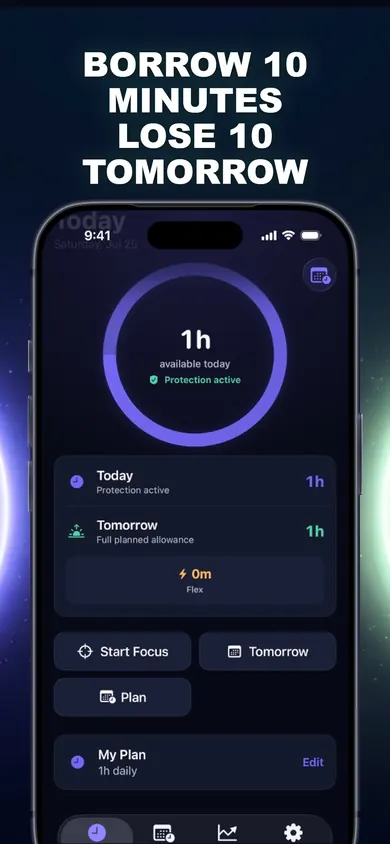
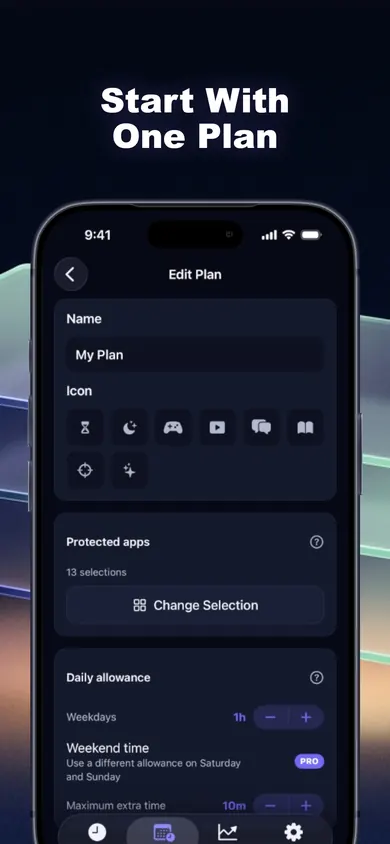
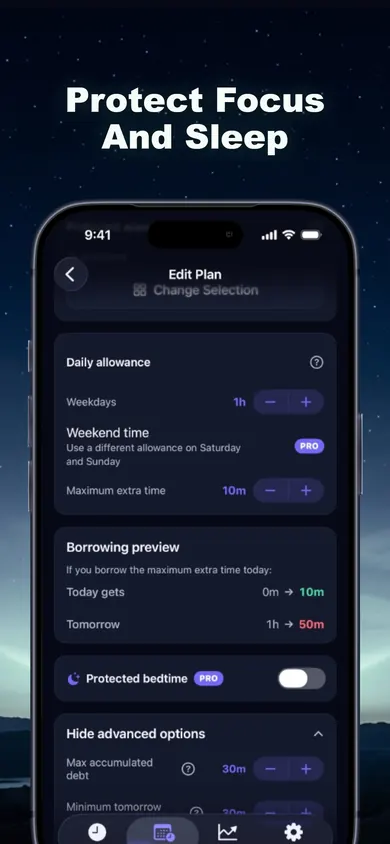
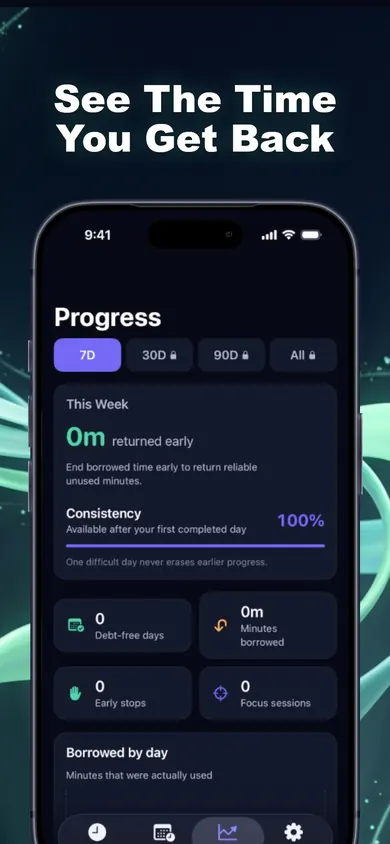
More than a borrowing screen
- Weekday and weekend limits. Different allowances for Saturday and Sunday.
- Focus sessions. One tap for study, work or reading; selected apps stay shielded while the timer runs.
- Protected bedtime. Hours that can cross midnight, with borrowing allowed or not, decided in advance.
- Live Activity. Borrowed time counts down on the Lock Screen.
- Honest history. Allowances, borrowed and repaid minutes, Flex Minutes and days within plan.
Free core plan vs Time Debt Pro
Free: one full plan with real blocking, borrowing, automatic repayment, 7-day history and emergency access.
Pro (subscription): multiple plans, custom schedules, multi-day repayment, longer history and reports, guided programs and expanded family tools. Price and any trial are shown in the app before you buy.
Why we made debt the idea
We tried the usual nudge screens. They are easy to dismiss because they cost nothing. Debt is the opposite: small, specific, and paid by someone you care about, which is you, tomorrow. We kept it fair on purpose. No interest, a floor you set, and an emergency exit that is always free.
Screen time questions
Why do I keep tapping 'Ignore Limit' in Screen Time?
Because ignoring the limit costs nothing in the moment. Time Debt gives the extra time a visible price: whatever you borrow today comes off tomorrow's allowance, and you see that number before you confirm.
Is there interest on borrowed minutes?
No. Borrowed minutes are repaid automatically once, never twice. Nothing compounds, and tomorrow never drops below the minimum you set.
What happens if I stop a borrowed session early?
The unused minutes go back. Stopping early also earns Flex Minutes, which show up in your history.
Is Time Debt free?
The core plan is free: one full plan with real blocking, borrowing, automatic repayment, 7-day history and emergency access. Time Debt Pro is a subscription that adds multiple plans, custom schedules, multi-day repayment, longer history and reports, guided programs and expanded family tools.
Can I get into a blocked app in an emergency?
Yes, always. Emergency access removes every Time Debt shield until tomorrow, at no cost. It does not change limits set in iOS Settings or by a Family Sharing organizer.
Can parents use Time Debt for a child?
There is a family plan for a shared or handed-over iPhone. Requests and approvals happen on the same device, with parent-only settings behind Face ID, Touch ID or passcode. There is no remote monitoring.
Does Time Debt see what I do in my apps?
No. Apple gives it anonymous tokens, so it never sees app names or content. There is no account and no ads, and your data stays on your iPhone and works offline.
Set one honest limit
Pick the apps. Pick an allowance you can keep. Borrow only when it is worth tomorrow.

Updated November 2026
More about Time Debt
- Limit a child's screen time without Family SharingA visual step guide for a shared or handed-over iPhone: lock Screen Time on the device, then add a borrow-and-repay allowance with parent approval.
- Why app blockers don't work, and what to try insteadMost app blockers fail at the moment you want more time. We compare how Screen Time, one sec, Opal, ScreenZen and Time Debt handle it. Checked Nov 2026.
Related
- Limit a child's screen time without Family SharingA visual step guide for a shared or handed-over iPhone: lock Screen Time on the device, then add a borrow-and-repay allowance with parent approval.
- Why app blockers don't work, and what to try insteadMost app blockers fail at the moment you want more time. We compare how Screen Time, one sec, Opal, ScreenZen and Time Debt handle it. Checked Nov 2026.
- App blockers that allow temporary access, comparedFocusPass, one sec, Opal, Jomo and ScreenZen compared on one thing: how each lets you back into a blocked app for a few minutes. Checked Nov 2026.
- How to block apps on your own iPhone: a checklistA 5-minute checklist to block apps on your own iPhone: Screen Time settings first, then when an app blocker helps. Take the 3-tap quiz for your list.