Is there a free Lumosity alternative?
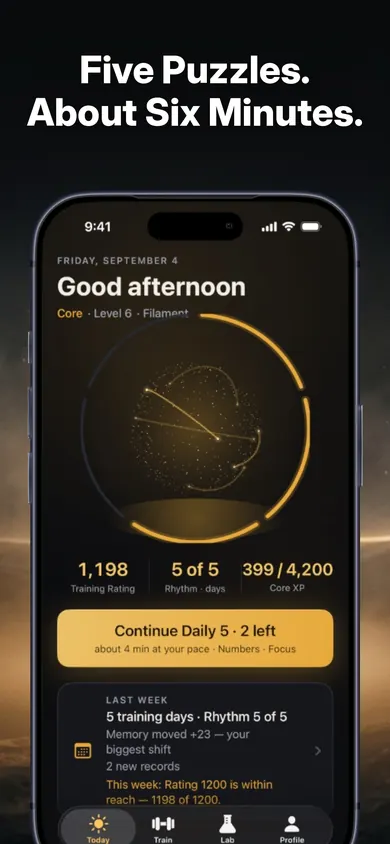
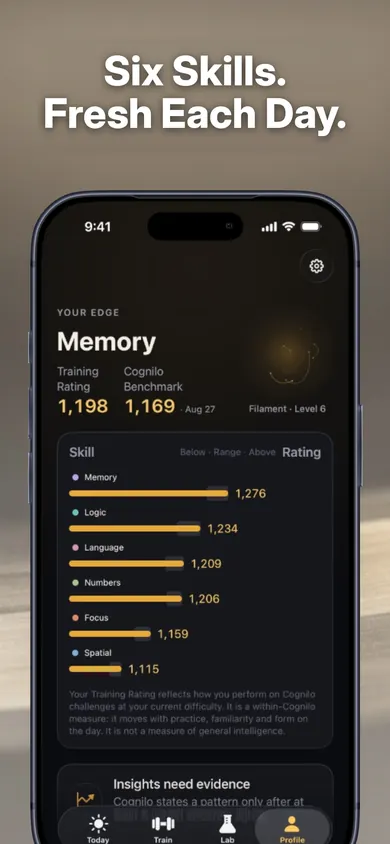
Yes: Cognilo gives free users the complete Daily 5, five adaptive puzzles a day for about six minutes, with no account, while Lumosity's free account allows 3 games a day. Peak also has a free basic version. Which one fits depends on whether you want the most games, competition with friends, or a calm daily set.
Free should mean a full day of play, not a sample.
Who should not switch to Cognilo
- You love variety above all. Lumosity lists 40+ games and Peak 45+ across six categories. Cognilo has eight puzzle types, with Market Run on some days.
- You want to compare scores with other people. Peak's listing describes comparing scores with others in your age range and profession. Cognilo's competition is off by default, and its ratings compare you only with you.
- You are on Android. Cognilo is iPhone and iPad only.
- You are shopping for a child. Cognilo is designed for adults.
What do free users get in each app?
| Lumosity | Peak | Cognilo | |
|---|---|---|---|
| Free play | 3 games a day, replayable (help page) | A free basic version; full daily workouts with Peak Pro (App Store listing) | The full Daily 5, all six skills, ratings, Benchmark |
| Account | Needed for free play | Not stated in the listing | None |
| Games | 40+ | 45+ in six categories | 8 puzzle types, untimed by default |
| Paid tier | Premium: all games, full 5-game workouts, insights | Peak Pro: daily workouts, skill-based workouts | Pro: two Lab modes, reports, 12-month history |
Checked November 3, 2026 against Lumosity's help centre, the App Store listings for Lumosity and Peak, and Cognilo's own listing. We make Cognilo. Prices vary by region, so check the store before you pay for anything.
Which app should I pick?
- Pick Lumosity if three games a day is enough or you want the widest catalogue and will pay for Premium later.
- Pick Peak if you like lots of game types and comparing yourself with friends or people your age, and Peak Pro's workouts appeal.
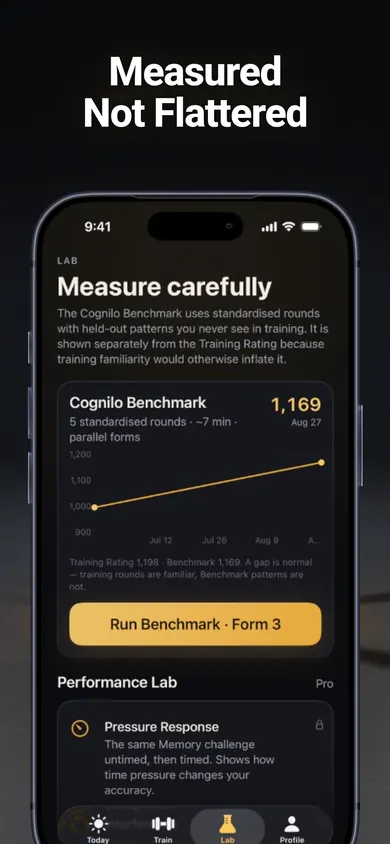
- Pick Cognilo if you want one complete, untimed daily session for free, no account, and progress that is measured on rounds you never trained on.
The best free brain app is the one you still open in February.
What does Cognilo look like day to day?
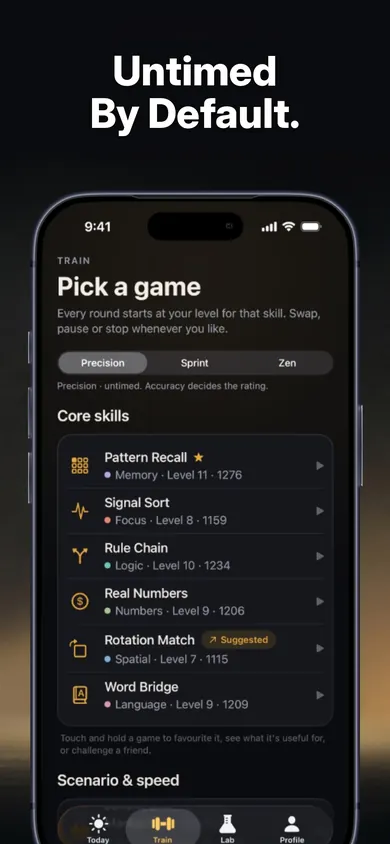
How do I switch in 3 steps?
- Decide on the old subscription. If you pay for Lumosity or Peak through Apple, it is in Settings, your name, Subscriptions. Cancel at least a day before renewal if you are leaving.
- Install Cognilo and play. Your first puzzle starts straight away: no sign-up, no questionnaire.
- Give it a week. Ratings only move when several sessions agree, so judge it on day seven, not day one.
What are Cognilo's honest limits?
- Fewer games than the big apps: eight puzzle types, not 40+.
- Pro is an optional auto-renewing monthly or annual subscription. It adds Pressure Response and Interference in the Performance Lab, weekly and monthly reports and up to 12 months of rating history.
- Purchases, restores and optional Game Center leaderboards need a connection.
- Ratings describe how you play Cognilo puzzles. They are not a measure of intelligence or health, and the National Institute on Aging (reviewed 2024) says there is not enough evidence that commercial brain-training apps match the effects of the ACTIVE trial.
One design decision we made: the free tier includes the Benchmark. Paying should never be the price of an honest measurement.
What does switching feel like?
Picture a retired teacher who kept Lumosity's free account for a year. Three games a day was fine until it wasn't: she wanted a fuller morning session and didn't want another subscription on her card.
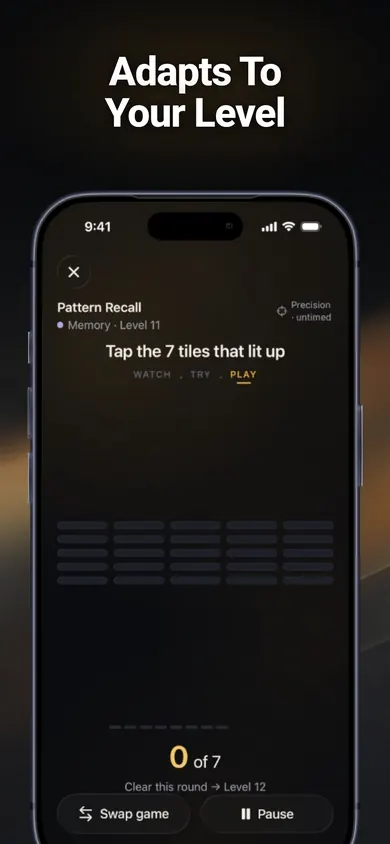
Day one in Cognilo she plays the Daily 5 with her tea: Pattern Recall, Rule Chain, Real Numbers, Rotation Match and Word Bridge, about six minutes, no clock. On day four a Market Run shopping round makes it a little longer, and the app shows its own estimate before she starts. She misses the weekend; Rhythm counts days per week, so nothing breaks.
Five puzzles, no clock, no account. Then on with the day.
More questions about switching
Can I move my Lumosity progress to Cognilo?
No. Each app keeps its own history and scale. Cognilo starts you on your first puzzle straight away and adapts from there.
Does Cognilo need an account?
No. No account, no ads and no tracking. History stays on your device and can be exported as JSON.
Is Cognilo on Android?
Not at the moment. Cognilo is on the App Store for iPhone and iPad.
How do I cancel Lumosity Premium on iPhone?
If you subscribed through Apple: Settings, tap your name, Subscriptions, Lumosity, Cancel. If you subscribed on the web, cancel through Lumosity's own account settings.
Do brain training apps work?
They reliably make you better at their own games. The National Institute on Aging (reviewed 2024) says there is not enough evidence that commercial brain-training apps match the effects seen in the ACTIVE trial, so pick one you enjoy rather than one that promises the most.
Is there a free trial of Cognilo Pro?
The App Store shows any eligible trial, price and billing period before purchase. Continue Free closes the paywall without buying.
Try it tonight
Try it tonight: one Daily 5, about six minutes, and see if free feels complete. Continue Free closes the paywall without buying.

Try Cognilo on the App Store · Updated November 2026
Related
- Cognilo: five daily brain training gamesFree brain training games for adults: five untimed puzzles a day, about six minutes, adapted to your level. No account, no ads, works offline.
- Brain game scores explained: 12 terms, from practice effect to LPIBrain game scores explained in plain English: practice effect, held-out rounds, LPI, transfer and 8 more terms, plus a 3-tap check on your latest jump.
- How to make brain games a daily habit, without streak guiltA week-long story of making brain games a daily habit: a six-minute slot, days-per-week instead of streaks, and what to do on a missed day.
- Brain games for retirees: where six minutes of puzzles fit in a weekNewly retired? What brain games can and can't do, what the NIA says about staying sharp, and a week planner that puts puzzles in their place.