Flanker
Answer for the middle item, ignore its neighbours.
In Attention Age: Interference
 A beginner's guide to the arrow test
For beginners who met a flanker task in a study or app: what it measures, step by step.
Watch the middle arrow
Tap Left or Right to start a 12-row run. Answer for the middle arrow only.
 Free on iPhone · no account
A flanker test shows you a row of arrows and asks which way the middle one points, while the arrows around it either agree or point the other way; the extra time you need on the mixed rows is your interference cost. That one number is the heart of the test.
This guide walks through it the way you'll see it: screen by screen, with the demo above so you can feel the effect yourself. We make Attention Age, an iPhone app whose Interference task is a flanker test. Updated November 2026.
How well you respond to one target while ignoring the things right next to it. Researchers usually look at the gap between rows where the neighbours agree with the middle arrow and rows where they point the other way. The NIH Toolbox describes its version as an assessment of inhibitory control and attention.
The distracting items sit on the flanks of the target. The classic version comes from Eriksen and Eriksen in Perception & Psychophysics (1974), who used letters rather than arrows and found that nearby, response-conflicting letters slowed people down.
No. Nearly everyone is slower when the neighbours point the other way; that slowdown is the effect the test is built to show. What people compare is the size of the gap, ideally with their own earlier results.
Usually a few minutes. The NIH Toolbox lists about 3 minutes for its version. In Attention Age the Interference task is one of three tasks in a five-minute session.
Not on its own, and a phone version certainly can't. Attention Age is an entertainment and self-practice app, not a medical, clinical or diagnostic test.
Attention Age includes one as the Interference task. The five-minute test, weekly re-test and Interference practice are free; seven extra drills and longer focus sessions are part of an optional Pro subscription.
Either, but use the same one each time. Reaction times shift with grip, so a fair comparison keeps the hand, phone and posture the same.
Four moments in every trial. Read down the thread.
A small fixation point appears where the target will be. Its job is to stop you scanning the row from the left like a sentence. Keep your eyes there.
On a congruent row every arrow agrees. Your answer is easy because the whole row is shouting the same thing. These rows give your baseline speed.
On an incongruent row the flankers point the other way. Most people are a little slower here and make the occasional wrong tap, because the neighbours pull the response toward the wrong side. Eriksen and Eriksen in Perception & Psychophysics (1974) found the pull is stronger when the distractors sit close to the target.
Your average time on mixed rows minus your average on same-direction rows is the interference cost. A fast person and a slower person can have the same gap. That is why the gap, not raw speed, is what most versions focus on.
Speed tells you how quick your thumb is; the gap tells you how much the neighbours got to you.
The demo at the top mixes six same-direction and six mixed rows in random order, times each tap from the moment the row appears, and reports both averages and the gap. Here's how to read it, and what the app does with the same idea.
| What you see | What it means |
|---|---|
| Mixed rows slower than same rows | The normal flanker effect. Expected. |
| A gap near zero | The neighbours barely slowed you this time, or you slowed down on every row. |
| Errors only on mixed rows | You answered for the flankers. Slow down by a hair. |
| Times under about 150 ms | Probably guessing before looking. Attention Age flags that in a real session. |
In Attention Age, Interference feeds two of the five category scores. Distractor Handling (25% of the Attention Index) looks at how much conflicting arrows slowed you or caused errors compared with calm trials. Consistency (30%) uses the variation in your reaction times across Interference and Signal Watch. Both are explained on our methodology page, including the fact that the scale uses fixed reference points chosen during design rather than population norms.
A browser demo on your screen, with your mouse or thumb, is not comparable to the app or to a lab. Use it to understand the idea, not to score yourself.
Answer for the middle item, ignore its neighbours.
In Attention Age: Interference
Tap for the target, hold back for the decoy.
In Attention Age: Signal Watch
Name the ink color, not the color word you read.
Not in Attention Age
All three measure some version of "do the right thing while something else pulls you the wrong way". They are not interchangeable, so if a study asked you to do a flanker task, a Stroop app won't feel the same.
This is general information, not medical advice. Talk to your clinician.
Store screenshots. The Interference task itself runs inside the five-minute test; these show what comes before and after it.
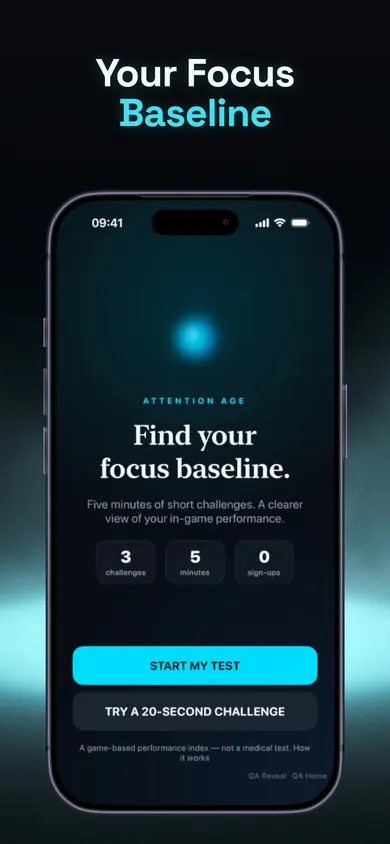
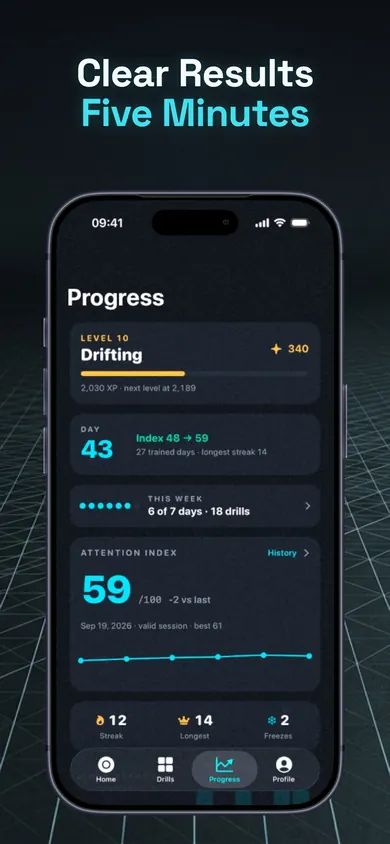
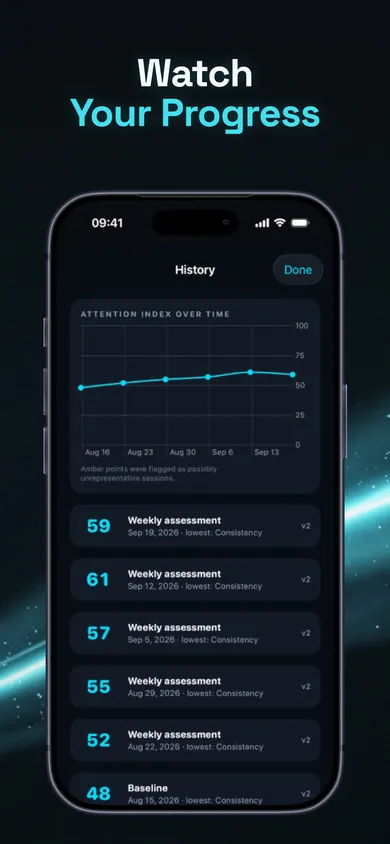
A design decision: decoys in the app are always shape-coded (diamonds and stars), never told apart by color alone, and a colorblind mode adds extra markers. A limitation: there's no Android version. If you need a validated research instrument, ask the team running your study which one they use instead.
Felt the pull of the neighbours in the demo? The full version takes five minutes and keeps your history. Start on your iPhone with the free test.